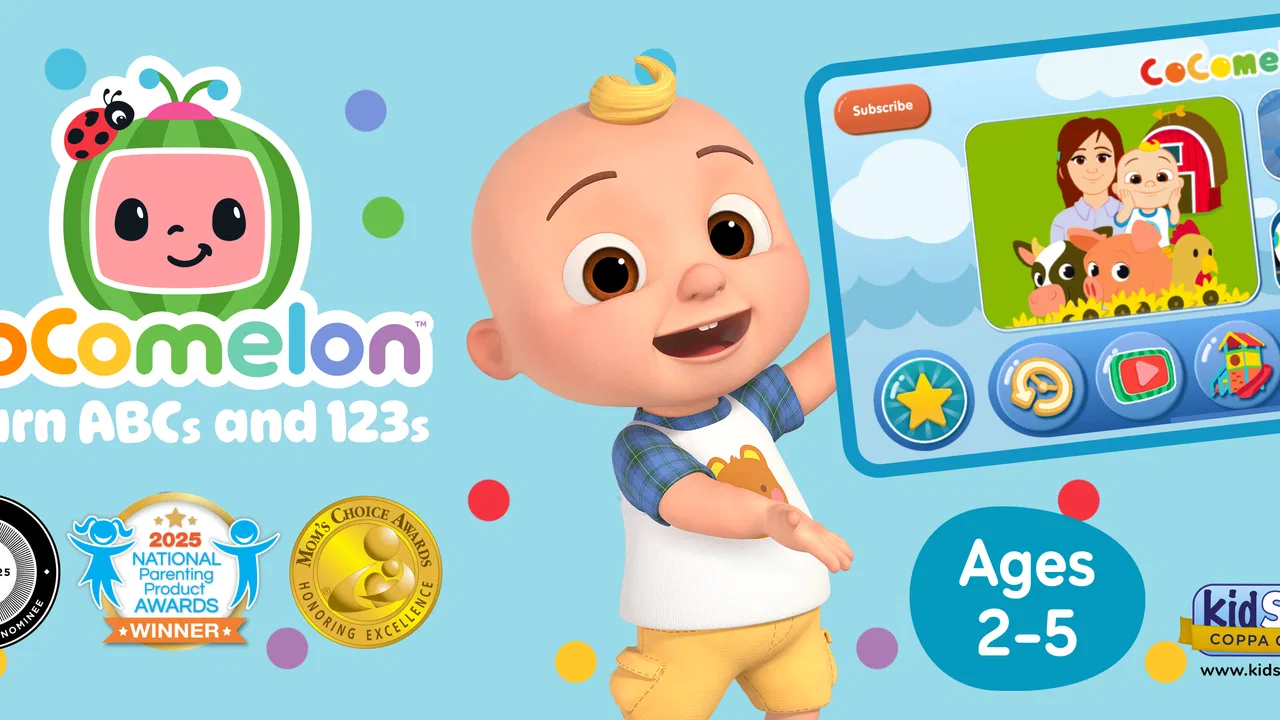
CoComelon: Learn ABCs and 123s
- 4.2
- Rating
- 5.00M
- Installs
- Free
- Price

 Analysis by App-foxy
What stood out to me in CoComelon: Learn ABCs and 123s is its focus on turning early learning into short, interactive play sessions. Rather than asking a young child to sit through a formal lesson, the game uses familiar CoComelon presentation and simple activities to make practice with letters and numbers feel less intimidating. That sounds modest, but for preschool learning, getting a child to return willingly can matter as much as the lesson itself.
This is an educational game from Moonbug Entertainment Limited, aimed at children in the Everyone age group. It is free to start, and the store lists optional in-app purchases ranging from $0.49 to $39.99 per item. I would treat it as a playful supplement to everyday learning, not as a replacement for talking, reading, drawing, counting objects, or guidance from an adult.
Learning Through Familiar, Repeatable Play
The central capability is early skill practice built around ABCs and 123s. In use, that focus makes the app easier to understand than a broad children’s game collection. A child who is beginning to recognize letters or numbers can open it with a clear purpose, while a parent can quickly see why it might fit into a short learning routine.
You May Also Like

 Blood Strike: 2.5 Anniversary
Blood Strike’s Loadouts Turn Every Drop Into a Tactical Gamble
A close look at Blood Strike’s custom loadouts: how fast access to signature weapons reshapes its battle royale rhythm, rewards preparation, and narrows the gap between fights.

 Pandora - Music & Podcasts
Pandora’s Music Is Easy to Start, but Harder to Recover
Pandora’s strength is its low-effort path from a seed to a station. Its weak spot is how much confidence it asks you to place in connection, setup, and quiet recovery.

 8 Ball Pool
 Is Built on Rivalries, Rematches, and Routine
A close look at the rivalries, rematches, shared routines, and unanswered safety questions that turn a quick pool match into a persistent mobile community.

 Samsung Music
’s Quiet Strength Is Playing What You Already Own
Its reach comes less from spectacle than from dependable access to a personal library. That simplicity is both the app’s strongest retention engine and its ceiling.

 AccuWeather: Weather Radar
AccuWeather Review: A Quick, Clear Forecast for Everyday Decisions
For everyday plans, the best forecast is the one you can understand quickly. AccuWeather makes rain timing, radar, and local conditions easy to act on, with a few trade-offs.

 Hill Climb Racing
Why Hill Climb Racing Still Turns Crashes Into One More Run
A tiny car, a bumpy hill and one more upgrade: Hill Climb Racing keeps resurfacing because its simple chaos makes every near-miss feel personal.
More From Our News Desk



The CoComelon setting is important here. Young children often respond better to characters and visual language they already recognize than to an unfamiliar workbook or a stark drill interface. The familiar presentation lowers the barrier to starting an activity. I found that especially useful for children who resist anything described as “schoolwork,” because the game feels more like a character-led activity than a lesson delivered by an adult.
That does not mean the entertainment layer automatically guarantees learning. The real value comes from repetition. A child may need to encounter the same letter or number several times before recognition becomes reliable. The game’s playful format can make those repeat encounters easier to accept, but adults should still connect the on-screen practice to real objects and words outside the app.
For example, after a short session, I would point to a letter on a cereal box, ask the child to count pieces of fruit, or look for a familiar number on a calendar. That small follow-up changes the activity from isolated screen time into a bridge between digital play and the child’s surroundings. The strongest results come when the game starts a conversation rather than ending one.
What the experience feels like for a young child
The design is best suited to children who benefit from immediate visual engagement and simple goals. A preschooler is unlikely to want a long explanation before beginning, so the appeal lies in being able to move into an activity quickly. The recognizable characters also give the experience an emotional advantage over many generic alphabet and counting apps.
I would not expect the game to teach every child at the same pace. Some children will enjoy repeating familiar activities, while others may lose interest once the novelty fades. That is normal for this age group. The useful question is not whether the game can hold attention forever, but whether it can provide a positive, manageable practice window that a parent can use consistently.
The store presents it as expert-designed interactive learning for early skill development, and that positioning makes sense as a description of its purpose. Still, parents should judge progress by what the child can do away from the screen. If a child taps correctly in the game but cannot identify the same letter in a book, more hands-on reinforcement is needed.
How I would use it in practice
I would begin with a short, predictable routine rather than handing over the device without a plan. For instance, the child could play after breakfast while an adult stays nearby, then spend a few minutes finding one letter or counting real objects. This keeps the app from becoming an unstructured distraction and gives the child a clear connection between the game and daily life.
A useful approach is to follow the child’s interest while adding one small challenge. If the child is enjoying letters, I might ask which letter appears in their name. If numbers are more appealing, I might invite them to count socks, toy cars, or steps. The point is not to turn every session into a test. It is to use the game as a prompt for language and observation.
Another practical tip is to avoid correcting every mistake immediately. Early learners can become frustrated when an adult turns play into constant evaluation. I would let the child try, give a simple clue when needed, and celebrate effort without pretending that every answer is correct. The game can provide repetition; the adult provides context, patience, and a sense of proportion.
Parents may also want to watch the first few sessions closely. This helps reveal whether the child understands the activity or is simply tapping through it. That distinction matters. A child who is guessing can look engaged while gaining little from the exercise, and a nearby adult can notice when the activity needs to be slowed down or followed by a real-world example.
A realistic everyday scenario
Imagine a parent preparing dinner while a preschooler needs a quiet activity nearby. A short session could give the child something structured to do, especially if the parent has already introduced a simple goal such as listening for a particular letter or practicing counting. When dinner is ready, the parent can ask the child to count plates or identify a letter on a food package.
In that situation, the game works because it fills a small gap in the day without demanding a full lesson plan. It is not doing the entire job of early education, and it should not be expected to. Its role is more practical: provide an inviting entry point, reinforce a narrow set of skills, and give the adult an easy subject for follow-up conversation.
I can also see it fitting into travel, waiting rooms, or a quiet period before bedtime, provided the family’s screen routine allows for it. The important trade-off is that convenience can tempt adults to use it as a default babysitter. Used occasionally and intentionally, it can be helpful. Used as the main learning activity, it becomes much less convincing.
Where it compares well with usual alternatives
Compared with paper worksheets, this game offers more immediate engagement and less preparation. A child who refuses to trace letters may be more willing to interact with a character-led activity. Compared with general video watching, it has a clearer learning purpose because the child is expected to participate rather than only observe.
Its advantage over a completely open-ended educational platform is focus. Families looking specifically for introductory letter and number practice may prefer a narrower experience that does not require searching through a large library. That simplicity can help a parent choose an activity quickly.
On the other hand, physical books, blocks, puzzles, and counting games remain better for tactile learning and shared interaction. A workbook can also make a child’s pencil control visible in a way a screen cannot. For children who already spend a lot of time on devices, a non-digital alternative may be the wiser choice even if it is less immediately exciting.
I would also choose a more advanced learning app for a child who is already reading simple words or working confidently with larger numbers. This game is aimed at early foundations, so its appeal depends on being at the right stage. It is not a substitute for progressively harder material.
The practical trade-offs parents should consider
The first trade-off is the free starting point versus the presence of optional purchases. The game can be tried without an upfront price, but families should be aware that additional items are available inside the app. I recommend deciding in advance whether purchases are appropriate and supervising the device accordingly, particularly when a child is playing independently.
The second is familiarity versus variety. CoComelon’s recognizable world can make learning feel welcoming, but a child who wants constant novelty may eventually need a different activity. Familiar characters are a strength for reluctant learners; they are less of a benefit for children who are already motivated by books, puzzles, or more challenging educational games.
The third is convenience versus adult involvement. The app is easy to place into a busy day, but the most meaningful learning often happens when someone asks a follow-up question or connects the activity to real life. If a parent wants a fully independent curriculum that tracks progress in depth, this is probably not the right expectation to bring to the experience.
There is also a question of attention. Interactive play can be more engaging than static practice, but engagement is not identical to understanding. I would look for signs that the child can recognize a letter or number in a new context. If success depends only on remembering where to tap, I would shorten the session and add offline practice.
Device fit and basic setup
The game supports devices running Android 8.0 or later, which makes it accessible to families using an older compatible Android phone or tablet. Before giving it to a child, I would check the device’s general setup, place the screen where an adult can see it, and make sure the child cannot accidentally move into unrelated content.
Because the experience is intended for young children, a tablet may be more comfortable than a small phone when one is available. A larger display can make shared play easier, especially when an adult is sitting beside the child and discussing what is happening. A phone remains useful for short periods away from home, but it is less suitable for extended parent-and-child interaction.
I would also prepare the child for the idea that the game has a beginning and an end to each session. A simple timer, a planned stopping point, or a transition into a physical activity can reduce arguments. This is not a special feature of the game; it is a practical way to prevent a learning tool from becoming a source of conflict.
Who will gain the most from it
The best match is a preschool child who enjoys CoComelon, is beginning to explore letters and numbers, and responds well to brief interactive activities. It may be especially useful for a child who needs encouragement to practice foundational skills but is not ready for formal worksheets or more academic-looking software.
It can also suit parents who want a simple companion to home routines rather than a complicated learning system. The focused subject matter makes it easy to pair with everyday activities: spotting letters in books, counting snacks, or talking about numbers on signs. That makes the game more useful than its screen-based format might suggest, as long as the adult makes the connection.
I would be more cautious about recommending it to families seeking detailed progress reports, a broad school-readiness curriculum, or substantial offline interaction. It is also not the best choice for a child who has moved beyond basic ABC and counting practice. In those cases, books, manipulatives, teacher-guided activities, or a more advanced educational app may offer better value.
The audience response gives some context: the game holds a 4.2 average from around 18 thousand ratings and has passed one million installs. Those figures suggest that it has found a substantial audience, but they should not replace a child-specific judgment. A popular children’s game can still be a poor fit if its pace, presentation, or level does not match the learner.
My recommendation after using it
CoComelon: Learn ABCs and 123s is most convincing when treated as a friendly practice tool, not as a complete teaching solution. I like its narrow focus, approachable character presentation, and ability to turn a small amount of free time into an opportunity to revisit early concepts. The free entry point also makes it reasonable to try before deciding whether it belongs in a family’s routine.
At the same time, I would not leave a child to work through it without occasional supervision, and I would keep the purchase options in mind. The game cannot provide the tactile, social, and imaginative benefits of offline play, and its introductory level will not suit every learner. Those are not deal-breakers; they simply define how it should be used.
The current version is 3.0.0, and the game was released on August 13, 2024. For a family with a young CoComelon fan who is starting to recognize letters and numbers, I think it is worth exploring as one piece of a wider routine. My advice is simple: play alongside the child at first, connect each session to something in the real world, and judge success by what the child remembers away from the screen. That is where this game earns its place: not as the whole lesson, but as an inviting first step.
FAQs for CoComelon: Learn ABCs and 123s
01What age group is CoComelon: Learn ABCs and 123s suitable for?
CoComelon: Learn ABCs and 123s is designed for preschoolers, typically ages 2 to 5. The app focuses on early learning concepts such as letters, numbers, colors, and shapes, using engaging animations and interactive activities to capture young children's attention and foster a love for learning.
02Does CoComelon: Learn ABCs and 123s require an internet connection?
While some features of CoComelon: Learn ABCs and 123s may be available offline, an internet connection is generally required to access the full range of content and updates. This ensures your child has access to the latest educational videos and activities. However, check specific app settings for offline possibilities.
03Are there in-app purchases in CoComelon: Learn ABCs and 123s?
Yes, CoComelon: Learn ABCs and 123s may include in-app purchases. These purchases often offer additional content or features, enhancing the learning experience. It's advisable for parents to manage these settings to prevent unintended purchases by children and ensure a safe, controlled environment.
04Is parental control available in CoComelon: Learn ABCs and 123s?
CoComelon: Learn ABCs and 123s offers parental control features to help manage your child’s app usage. These controls can restrict access to certain features or content and prevent unauthorized purchases, providing a safe and secure learning environment for your child.
05How does CoComelon: Learn ABCs and 123s enhance learning?
CoComelon: Learn ABCs and 123s enhances learning through interactive games, songs, and videos that teach foundational skills. It uses the beloved CoComelon characters to make learning enjoyable and relatable, encouraging children to participate actively and retain educational concepts effectively.
Pros
- Engaging animations captivate young learners.
- Simple interface perfect for toddlers.
- Includes a variety of educational songs.
- Offline mode available for uninterrupted play.
- Regular updates with new content.
Cons
- Limited content for older children.
- In-app purchases can add up.
- Requires adequate storage space.
- May need parental guidance for navigation.
- Some users report occasional app crashes.

CoComelon: Learn ABCs and 123s
Gallery